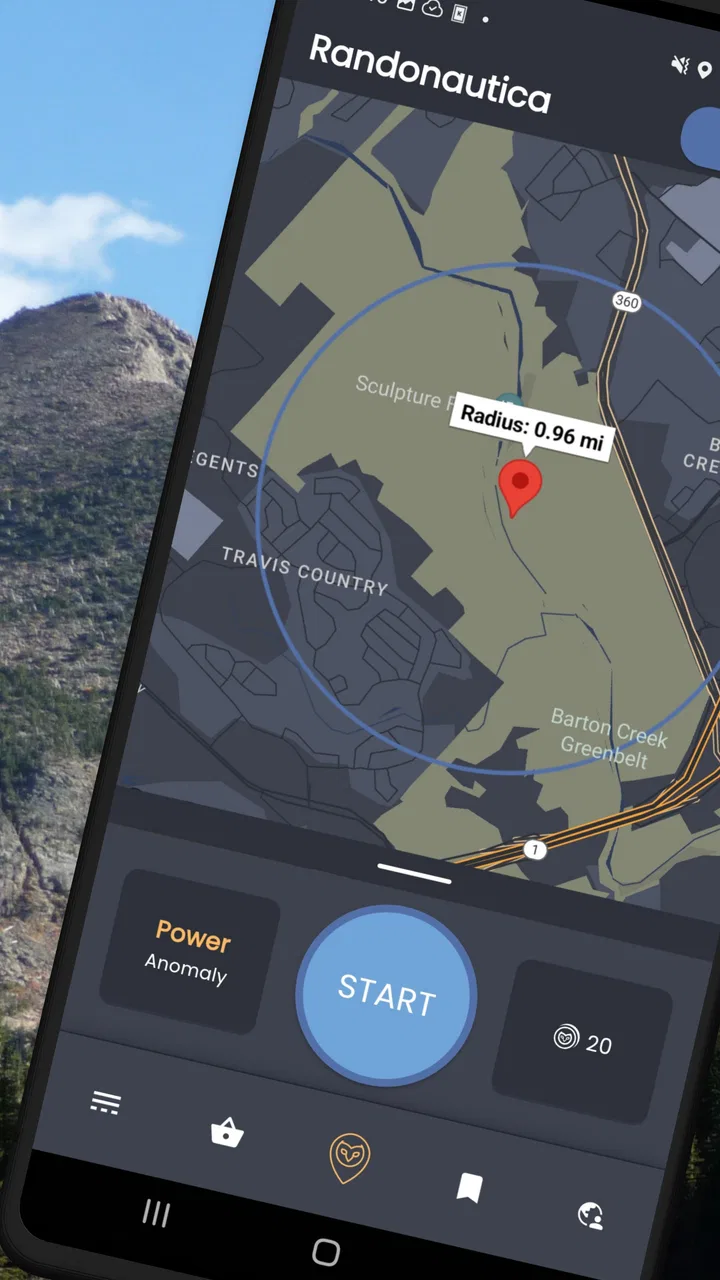
Randonautica
- 4.6
- Rating
- 10.00M
- Installs
- Free
- Price

 Analysis by App-foxy
I downloaded Randonautica expecting a simple way to break out of my usual walking routes, but it feels more like a prompt for an outing than a conventional travel tool. The app, made by Randonauts Co., suggests random places to explore and encourages you to begin with an intention. That combination makes it especially interesting on a shared phone, where one person can suggest the trip and another can decide whether the destination feels suitable.
My first impression was that this is not a replacement for maps, navigation, or a carefully planned sightseeing guide. It is better understood as a structured nudge toward somewhere unfamiliar. You still need ordinary judgment about roads, private property, weather, daylight, transport, and whether the proposed location is appropriate. When I treated it as a playful starting point rather than an authority, the experience made much more sense.
How Randonautica works in an everyday household
A realistic use case is a household with a free afternoon and no agreement about where to go. One person may want a walk, another may be tired of the same park, and a child may simply want the outing to feel like an adventure. Instead of opening a map and choosing the closest attraction, the group can use the app to generate a destination, discuss it together, and then decide whether to visit.
You May Also Like

 Blood Strike: 2.5 Anniversary
Blood Strike’s Loadouts Turn Every Drop Into a Tactical Gamble
A close look at Blood Strike’s custom loadouts: how fast access to signature weapons reshapes its battle royale rhythm, rewards preparation, and narrows the gap between fights.

 Pandora - Music & Podcasts
Pandora’s Music Is Easy to Start, but Harder to Recover
Pandora’s strength is its low-effort path from a seed to a station. Its weak spot is how much confidence it asks you to place in connection, setup, and quiet recovery.

 8 Ball Pool
 Is Built on Rivalries, Rematches, and Routine
A close look at the rivalries, rematches, shared routines, and unanswered safety questions that turn a quick pool match into a persistent mobile community.

 Samsung Music
’s Quiet Strength Is Playing What You Already Own
Its reach comes less from spectacle than from dependable access to a personal library. That simplicity is both the app’s strongest retention engine and its ceiling.

 AccuWeather: Weather Radar
AccuWeather Review: A Quick, Clear Forecast for Everyday Decisions
For everyday plans, the best forecast is the one you can understand quickly. AccuWeather makes rain timing, radar, and local conditions easy to act on, with a few trade-offs.

 Hill Climb Racing
Why Hill Climb Racing Still Turns Crashes Into One More Run
A tiny car, a bumpy hill and one more upgrade: Hill Climb Racing keeps resurfacing because its simple chaos makes every near-miss feel personal.
More From Our News Desk
View All News


That last step matters. A random point is not automatically a good destination. It might land near a busy road, behind a fence, in an industrial area, or somewhere that is inconvenient for the people in the group. I found the most enjoyable approach was to let the app provide the surprise, then use a normal map and common sense to check the surroundings before leaving.
This makes the app useful for shared exploration, but not for replacing coordination. If several people are involved, the person holding the phone should not quietly make the whole decision. Showing the suggested area to everyone avoids confusion and gives less confident members of the group a chance to object. In my experience, that small habit turns a potentially awkward random trip into a cooperative activity.
The intention element can also work well in a household. Rather than treating it as a promise that the app will produce a particular result, I used it as a theme for the outing: find an unusual view, notice something new, or take a route I would normally ignore. It gives the group a reason to pay attention, even when the destination itself turns out to be ordinary.
What the setup feels like on a shared device
Randonautica is free to download, and its content rating is Everyone, which makes it easy to consider for a family or shared-device setting. However, an age label does not remove the need for adult supervision. The app can encourage exploration, and exploration always needs boundaries that depend on the local area and the people taking part.
I would set those boundaries before generating a destination. Agree on a maximum walking distance, decide whether public transport or a car is allowed, and make clear that nobody enters restricted land or approaches strangers because a point appeared on the screen. These are not app controls; they are household rules, and they are more important than the novelty of the random suggestion.
On a shared phone, I would also make sure everyone understands who is operating the device and who is responsible for checking the route. If one person has a better data connection or a larger screen, that person may naturally become the navigator, but the group should still pause at each decision point. This avoids the common problem where everyone assumes somebody else checked the destination.
The app runs on Android devices using version 7.0 or later. That broad compatibility is helpful if a household has an older spare phone, although the practical experience will still depend on the device’s location service, battery condition, screen visibility, and connection. I would not begin a remote outing with a nearly empty battery simply because the application itself is lightweight or familiar.
There is also a useful distinction between installing it for occasional group use and making it part of someone’s daily routine. For a shared phone, occasional use keeps the activity intentional and makes it easier to review the destination together. For a personal phone, a user may be tempted to generate points repeatedly until one looks exciting, which can weaken the original appeal of accepting an unexpected suggestion.
Coordinating the outing instead of chasing the point
The strongest household workflow I found was simple: generate a suggestion, inspect the general area with a familiar navigation tool, agree on a safe meeting plan, and only then travel. Randonautica supplies the unusual idea; a standard map supplies the practical information. Neither tool needs to pretend to do the other’s job.
This is where it differs from ordinary travel apps. A map app is excellent when I already know whether I want a café, museum, playground, or train station. A review platform is better when I need opening hours, photos, or other visitors’ opinions. Randonautica is more useful when the problem is not “How do I reach this known place?” but “How can I make an uneventful afternoon feel different?”
The trade-off is predictability. A normal travel planner helps me control distance, accessibility, facilities, and timing. This app gives up some of that control in exchange for surprise. For a household with a stroller, mobility limitations, a strict schedule, or a member who dislikes uncertainty, the usual map-based approach will often be the better choice.
I would also agree on a fallback destination before leaving. If the generated point is unsuitable, the outing should not collapse into an argument. A nearby public park, café, viewpoint, or other familiar place can keep the day enjoyable while preserving the spirit of discovery. This is one of the most practical ways to use the app: let randomness choose the direction, but keep a sensible alternative ready.
For groups meeting from different locations, coordination needs a little more care. I would share the general destination through the household’s normal messaging method and confirm a meeting point that is easy to identify. The app should not become the only source of information, especially if someone’s phone loses signal or runs out of power. A person who arrives later should know where to meet the group without relying on a live screen.
Age, trust, and the meaning of an “Everyone” rating
The Everyone rating tells me that the app is presented for a broad audience, but it does not mean every suggested outing is suitable for every age. A younger user may understand the random-exploration idea while still needing an adult to judge traffic, water, isolated paths, construction areas, and private boundaries. The safest household arrangement is for an adult to review the destination before a child travels there.
I would be particularly cautious about unsupervised use by children or young teenagers. Even if the app itself is easy to operate, the real-world destination is outside the screen and may change with time of day or local conditions. A point that looks harmless on a map can feel very different in person. Trust should therefore be based on agreed behavior, not on the assumption that a random destination is inherently safe.
The intention concept deserves a calm explanation as well. Some users may enjoy treating it as a reflective or imaginative exercise, while others may interpret coincidences very seriously. I prefer to frame it as a way to focus attention and choose a theme for exploration, not as evidence that the app understands personal wishes or guarantees meaningful events. That framing keeps the experience fun without encouraging risky decisions.
For a shared device, I would discuss privacy in ordinary terms. Do not announce personal information to strangers, do not photograph people without a good reason, and do not treat an unfamiliar neighborhood as a puzzle that must be investigated. These are sensible rules for any outing, but the app’s unusual premise makes them worth stating clearly before someone uses it alone.
There is no substitute here for family communication. I did not approach the app as a tool for monitoring or managing household members. Its value is social: it can give people something to discuss, a destination to evaluate, and a shared story afterward. If the goal is location supervision, route planning, or formal family safety management, a dedicated service is more appropriate than this exploration-focused app.
What I noticed after repeated use
One non-obvious strength is that the app changes how I look at familiar surroundings. Even when the destination itself is not remarkable, the process can make me notice side streets, overlooked public spaces, or local features I would normally pass without attention. The useful result is often not the point but the willingness to take a different route and observe more carefully.
A second insight is that the best intentions are specific enough to guide attention but open enough to survive an ordinary result. “Find a magical place” can create disappointment if the location is mundane. A theme such as noticing unusual architecture or finding a quiet place to pause gives the group something to look for without demanding a dramatic outcome. This makes the activity more enjoyable for skeptical participants.
A third trade-off is repetition. Generating many suggestions in quick succession may feel like searching for a better answer rather than exploring the first one. I got more from setting a reasonable rule, such as accepting one destination and evaluating it honestly. If it is impractical, reject it for a concrete reason and move on, rather than treating every imperfect point as a failure.
A fourth practical lesson concerns accessibility. Randomness does not know whether a route has steep steps, poor lighting, rough ground, or enough seating for the group. Anyone with mobility, health, or sensory needs should check the route independently and feel comfortable declining the suggestion. In those situations, a normal travel app with detailed place information is usually more useful, while Randonautica can still serve as a source of ideas that are filtered afterward.
The app has reached over ten million installs, with an average rating of 4.6 from roughly eighty-one thousand ratings. That level of adoption suggests that the concept has connected with many curious users, but popularity does not remove the need to understand its limits. I see the strong reception as evidence that people enjoy guided spontaneity, not as proof that every generated destination will be interesting or suitable.
Randonautica is currently at version 3.2.1. I would keep expectations realistic about updates and behavior: the central experience remains dependent on the destination, the local environment, and the choices made by the people using it. A polished interface cannot solve a poor location decision, and no random prompt can replace checking the route before setting out.
Costs, expectations, and who should skip it
The app is free, but it includes in-app purchases ranging from forty-eight cents to $69.99 per item. I would treat those purchases cautiously, especially on a household device used by several people. Before handing the phone to a child, check the device’s purchase protections and make sure everyone understands that free installation does not necessarily mean every optional item is free.
For me, the possibility of optional spending is not a reason to dismiss the app, but it does change how I would introduce it to a family. I would begin with the basic experience, decide whether the group actually enjoys it, and avoid presenting paid additions as necessary for a successful outing. The core appeal is the shared decision to explore, not the assumption that spending more will make the destination meaningful.
I would skip Randonautica if I wanted precise sightseeing recommendations, dependable accessibility information, a tightly timed itinerary, or a guaranteed indoor activity. I would also avoid using it as the sole guide in an unfamiliar city at night or in an area where the group cannot easily return to a known road or transport stop. In those circumstances, conventional travel planning offers better control and clearer information.
It is a better fit for curious adults, friends, and families who enjoy making ordinary walks feel less routine. It can also suit someone who has explored the obvious attractions in their area and wants a prompt to look beyond the usual list. The key personality trait is flexibility: the user needs to enjoy the possibility that the result may be modest, inconvenient, or simply a starting point for another idea.
My household verdict
After using it as a shared exploration prompt, I think Randonautica works best when the household keeps the app in its proper role. It can suggest the theme and direction of an outing, but people must handle the safety check, route planning, consent, and return plan. That division of responsibility is not a weakness; it is the reason the experience can remain playful without becoming careless.
I would recommend it to a household that likes spontaneous walks and is willing to discuss boundaries before leaving. I would not recommend handing it to a child as an unsupervised adventure generator, nor would I choose it over a normal map when accessibility, timing, or destination quality matters more than surprise. The Everyone rating makes the app approachable, but responsible use still depends on age, maturity, and local conditions.
My final view is positive but measured. Randonautica adds a distinctive layer to the Travel & Local category because it does not begin with a list of famous places; it begins with curiosity. Used thoughtfully, it can turn a quiet afternoon into a shared experiment in noticing what is nearby. Used without checking the destination or agreeing on limits, it can create unnecessary friction. For me, the winning formula is simple: one suggestion, a careful review, clear coordination, and no pressure to follow a point that does not feel right.
FAQs for Randonautica
01What is Randonautica and how does it work?
Randonautica is an app that sends users on random adventures to explore their local area. By inputting their location, users are given coordinates to discover new places. The app uses quantum random number generation to provide coordinates, encouraging exploration and serendipity in the real world.
02Is Randonautica safe to use?
While Randonautica can lead to exciting and unexpected adventures, users should prioritize safety. It’s important to avoid restricted areas, travel during daylight, and inform someone about your location. The app encourages users to exercise caution and use common sense when exploring new areas.
03Do I need an internet connection to use Randonautica?
Yes, an internet connection is necessary to use Randonautica. The app requires GPS and data to generate coordinates and map your journey. Ensure your device has a stable connection to fully enjoy the app’s features and receive accurate location information.
04Can I customize the type of adventure on Randonautica?
Randonautica allows some customization through selecting different types of coordinates like voids, attractors, and anomalies. These different points may lead to varied experiences. Users can set their intention before embarking, potentially influencing the nature of their adventure.
05Is Randonautica available on both Android and iOS?
Yes, Randonautica is available for download on both Android and iOS devices. Users can find it in the Google Play Store for Android and the Apple App Store for iOS, making it accessible to a wide range of smartphone users.
Pros
- Encourages outdoor exploration and adventure.
- Simple and intuitive user interface.
- Promotes spontaneity and curiosity.
- Connects users with local hidden spots.
- Offers a unique
- unpredictable experience.
Cons
- Requires constant GPS access
- draining battery.
- Limited functionality without in-app purchases.
- Potential safety concerns in unfamiliar areas.
- Occasional app crashes and glitches reported.
- Relies heavily on user location accuracy.

Randonautica
Gallery